Which wallBoth are at Will's. The Sun board has no lights: its routes are made by picking holds on a picture of it, and it has a list of routes, a logbook and points of its own. The sun at the top of the page goes there too.
Climbing asThe name your tries and sends are logged under. It is the picker at the top of the page, and the same name on the Sun board. There are no passwords: a name is a name.
Lighting the wall
Off to begin with. On, a route goes up on the wall the moment you open it, with no need to press Light up Route. With several phones on one wall that can change what somebody else is half way up, so it is only for a phone that asks. For this phone only.
Row 1, the bottom row, carries no holds on any benchmark, so it reads out the grade: from A1 onward, one light for each V-grade. Five green up to V5, two blue for V6 and V7, red from V8, and eleven at most. On the 2019 and 2024 sets a few routes use row 1, and the grade is left off for those.
For this phone only, and off to begin with. The button stands beside Light up Route and puts the open route up next to the one already on the wall, in a second colour. Two routes that somebody else puts up are shown as two either way.
How it looks on this phone
For this phone only, and for both walls. Light foggy grey is what everyone starts on.
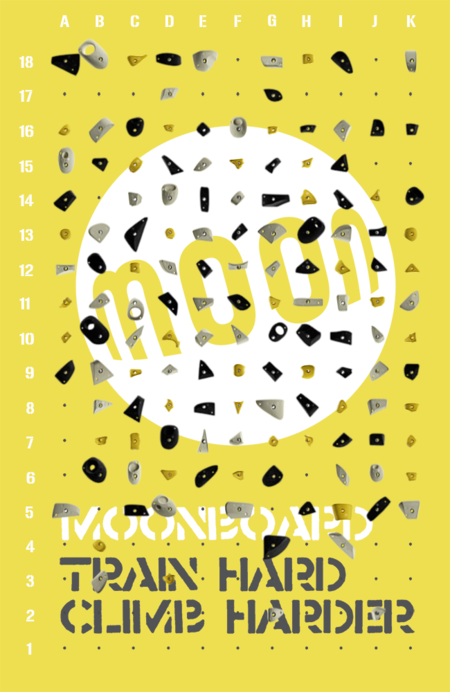
For this phone only. Off, the picture is Moon's own board. Plywood is drawn for the 2016 and 2024 hold sets: on the 2016 set a phone starts on Moon's yellow board, on the 2024 set it starts on plywood. Masters 2019 keeps its own picture.
Games on the wall
The wall, for everyone
Changes the route list and the board picture for everyone, so only switch it when the holds on the wall actually change.
The board takes one Bluetooth connection, so everyone shares the phone that has it. Whoever taps Connect becomes the bridge automatically, and every other phone sends what it lights through them. On a different MoonBoard? Pick Another wall and give it a code of its own, the same on every phone there, so the two walls never light each other's problems.
relay off
On connect
Connection logWhat the app has been doing with the wall and the relay, the newest line last. Copy log puts it on the clipboard, to pass on when something is not working.
A tap opens the video in Instagram. These come from a Google search of
Instagram, so a new post takes a while to turn up.
Logbook
Tap a row to delete it
Points
Timed session
Goes in a set3
Rest between sets5:00
Counted on the wall, a rest is a red light on the bottom row for each minute left, then START in big letters and the rim flashing twice. That is only while the route you have open is the one on the wall. If somebody lights another, the count stops and the wall is theirs: light yours again when your rest is up. The grade is left off the bottom row while the session is on.
On the board, tap a circle after each go. After the last one the rest counts down beside the wall. When it is up the phone pings and the screen flashes white. Tap the time to skip a rest.
Snake
–
Log entry
Connect fourGreen drops first, then blue. Played on C to I, rows 7 to 12, which keeps clear of the dead A2 and A4 holds. A win only counts towards the ranking when both players are named.
Green
–
Blue
–
not started
min each
Ranking
First time here? Add it to your Home Screen
Add it to your Home Screen
Opened from its own icon the app fills the whole screen, with no browser bars round it.
iPhone or iPad
Open this page in Safari.
Tap the Share button, the square with an arrow pointing up.
Scroll down and tap Add to Home Screen, then Add.
Android
Open this page in Chrome.
Tap the three dots at the top right.
Tap Add to Home screen (on some phones Install app), then Add.